5 Layout Modes · Instant Export

Create Professional Screenshot
Mockups & Grids Instantly

One-click, free, combine any images, full HD export, no registration required.

Perfect for developers, designers, content creators, and anyone who needs to share screenshots.

Before
Multiple scattered screenshots before combining - messy desktop with random image files

Scattered screenshots

arrow_forward PictriKit
After
Professional screenshot grid layout created with PictriKit - clean organized image composition

Clean, professional layout

check_circle Free Forever
check_circle No Registration
check_circle Privacy First
star 5.0 Rating

5 Powerful Layout Modes

Choose the perfect layout for your screenshots. From simple stacks to complex compositions.

view_column

Linear Stitching (Chat Logs)

Stack screenshots horizontally or vertically. Perfect for step-by-step tutorials and chat conversations.

center_focus_strong

Focus Layout

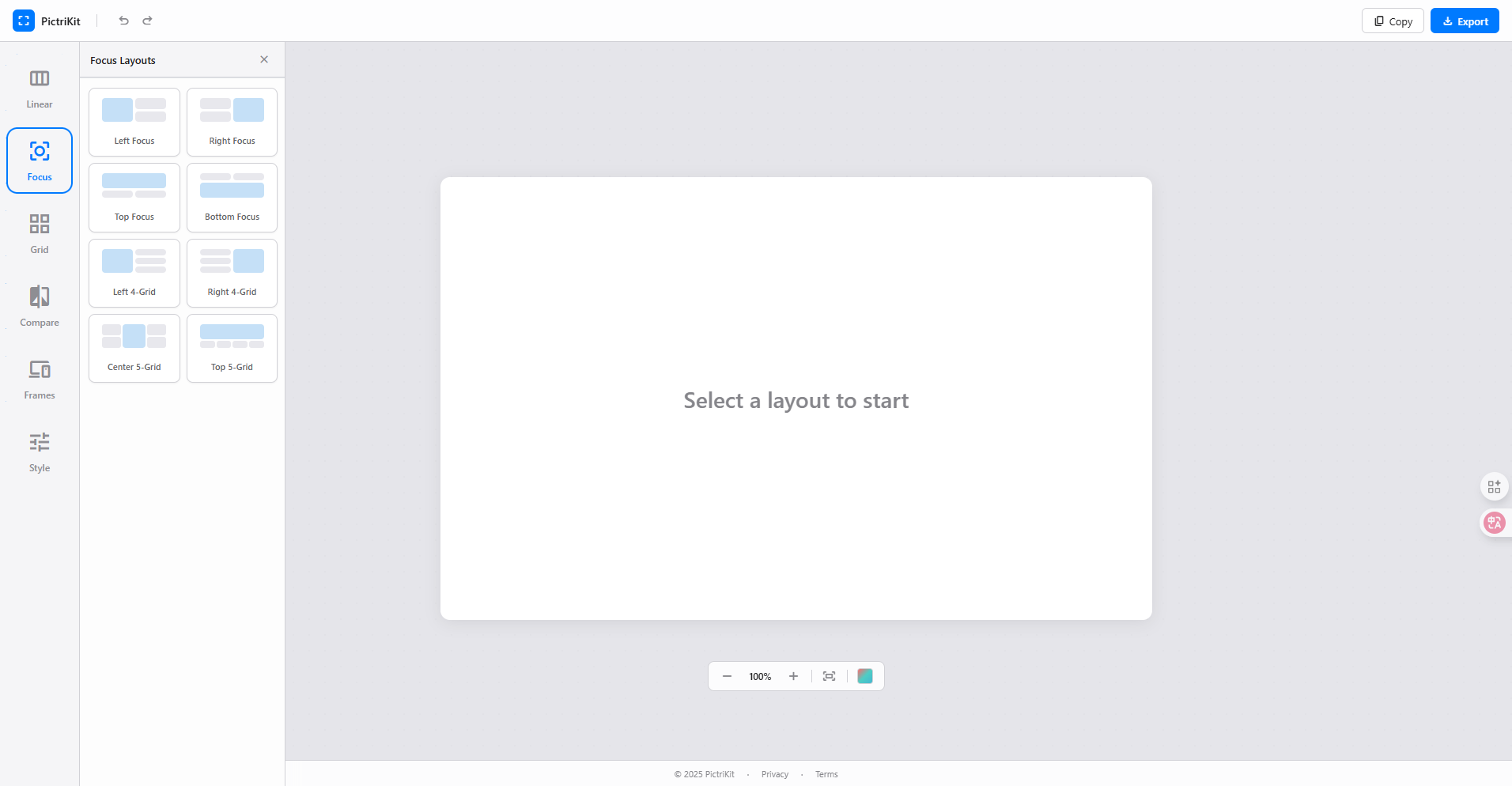
Highlight one main image with supporting thumbnails. Great for showcasing key features with context.

grid_view

Grid Layout

Arrange images in 22, 23, or 33 grids. Ideal for galleries and multi-feature presentations.

compare

Compare Layout

Before/After, Triple, or Quad comparisons. Perfect for showing changes and version differences.

devices

Device Mockups (iPhone/Web)

Wrap screenshots in Browser, Phone, or Tablet frames. Make your mockups look professional instantly.

tune

Style Controls

Fine-tune padding, gaps, and corner radius. Customize background colors to match your brand.

Simple Workflow

Three Steps to Perfect Layouts

No complex tools or learning curve. Just pick, drop, and export.
  • touch_app
    1. Choose a Layout Select from Linear, Focus, Grid, Compare, or Frames mode in the sidebar.
  • add_photo_alternate
    2. Add Your Images Click slots to upload or drag & drop images directly onto the canvas.
  • download
    3. Export Instantly Copy to clipboard or download as PNG. High-quality output every time.
PictriKit focus layout mode - highlight main screenshot with supporting thumbnails for app showcase
Customization

Fine-Tune Every Detail

Adjust styling to match your brand or preference with intuitive controls.
  • palette
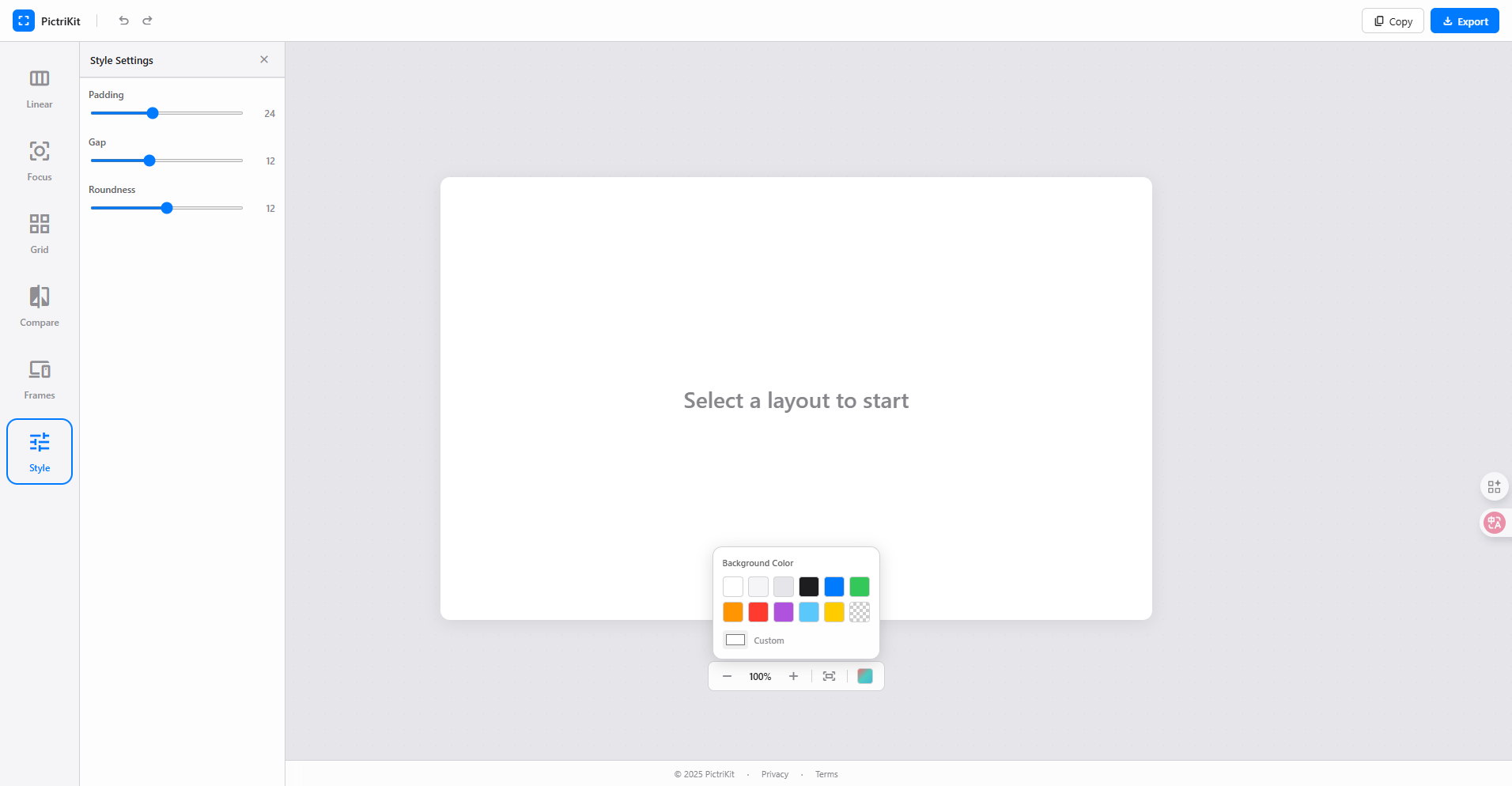
    Background Colors Choose from preset colors or pick any custom color. Transparent backgrounds supported.
  • space_bar
    Padding & Gaps Control spacing between images and canvas edges with precise sliders.
  • rounded_corner
    Corner Radius Add rounded corners to your images for a modern, polished look.
PictriKit style customization panel - adjust padding gaps colors and corner radius for screenshot layouts
Device Frames

Professional Mockups Instantly

Wrap your screenshots in realistic device frames for presentations and marketing.
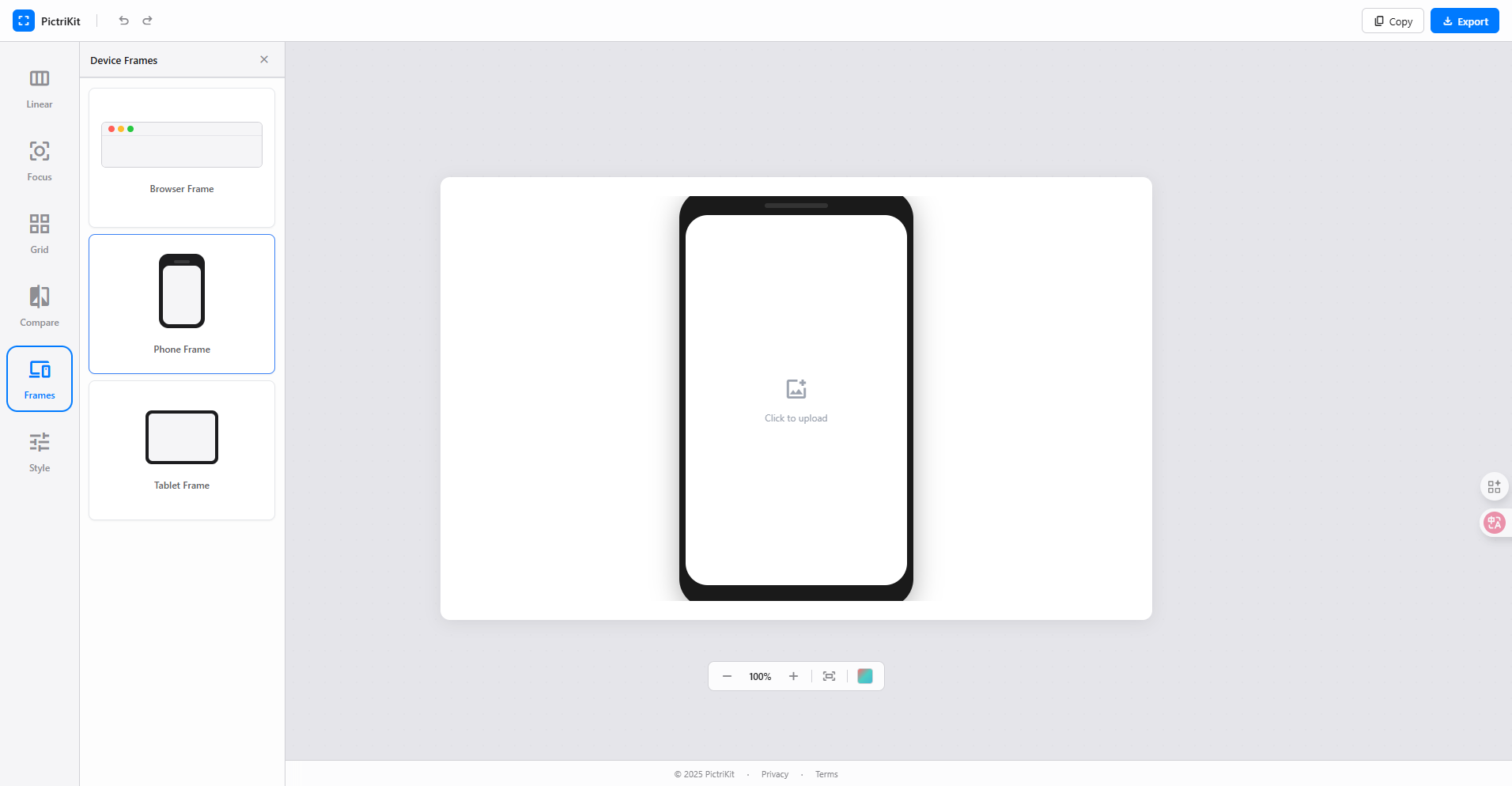
  • web
    Browser Frame macOS-style browser window with traffic lights. Perfect for web app screenshots.
  • smartphone
    Phone Frame Modern smartphone bezel with notch. Ideal for mobile app showcases.
  • tablet
    Tablet Frame Clean tablet design for iPad and tablet app presentations.
PictriKit device mockup frames - iPhone browser and tablet frames for professional app screenshots

Why Choose PictriKit

Built for simplicity, designed for everyone.

100% Browser-Based

No downloads, no installations. Works on any device with a modern browser.

Complete Privacy

All processing happens locally. Your images never leave your device.

No Account Needed

Start creating immediately. No sign-up, no email, no tracking.

High-Quality Export

Export crisp PNG images or copy directly to clipboard for instant sharing.

Works on All Your Devices

Create beautiful layouts anywhere, anytime. Fully responsive design for every screen size.

computer

Desktop & Laptop

Full-featured experience on Windows, macOS, and Linux. Best for complex layouts and precise editing.

tablet_mac

iPad & Tablets

Touch-optimized interface for iPad and Android tablets. Perfect for on-the-go editing with stylus support.

smartphone

Mobile Phones

Quick edits on iPhone and Android. Responsive layout adapts to smaller screens for essential features.

Ready to Create Beautiful Layouts?

Start combining your screenshots in seconds. Free, private, and instant.